
Download Movil Multimedia – Multimedia Customization, Ringtone Creator, Image Editor, Video Tools
Overview
Movil Multimedia is a mobile application designed to enhance personalization and creative control over smartphone experiences. The app offers a comprehensive suite of tools tailored for users seeking to customize their devices with unique ringtones, images, and video content. By integrating multimedia creation and management features, Movil Multimedia addresses the growing demand for device personalization beyond default settings.
It caters to individuals who value self-expression through their mobile interfaces, including students, young professionals, and hobbyist content creators. The app supports over 500 phone models, indicating a broad compatibility range, though specific device requirements were not listed. Its release date, April 18, 2007, places it among the early mobile utility tools focused on multimedia customization.
Although the developer did not provide additional background details, the app’s longevity suggests consistent functionality and relevance in its niche. Real-world use cases include creating custom ringtones for personal or professional calls, editing photos for social media, and assembling short video clips for sharing. In the mobile app ecosystem, Movil Multimedia holds a unique position as a multifunctional utility tool that combines media editing, content creation, and file transfer capabilities, offering a one-stop solution for users who want to go beyond standard device features.
Key Features & Functionality
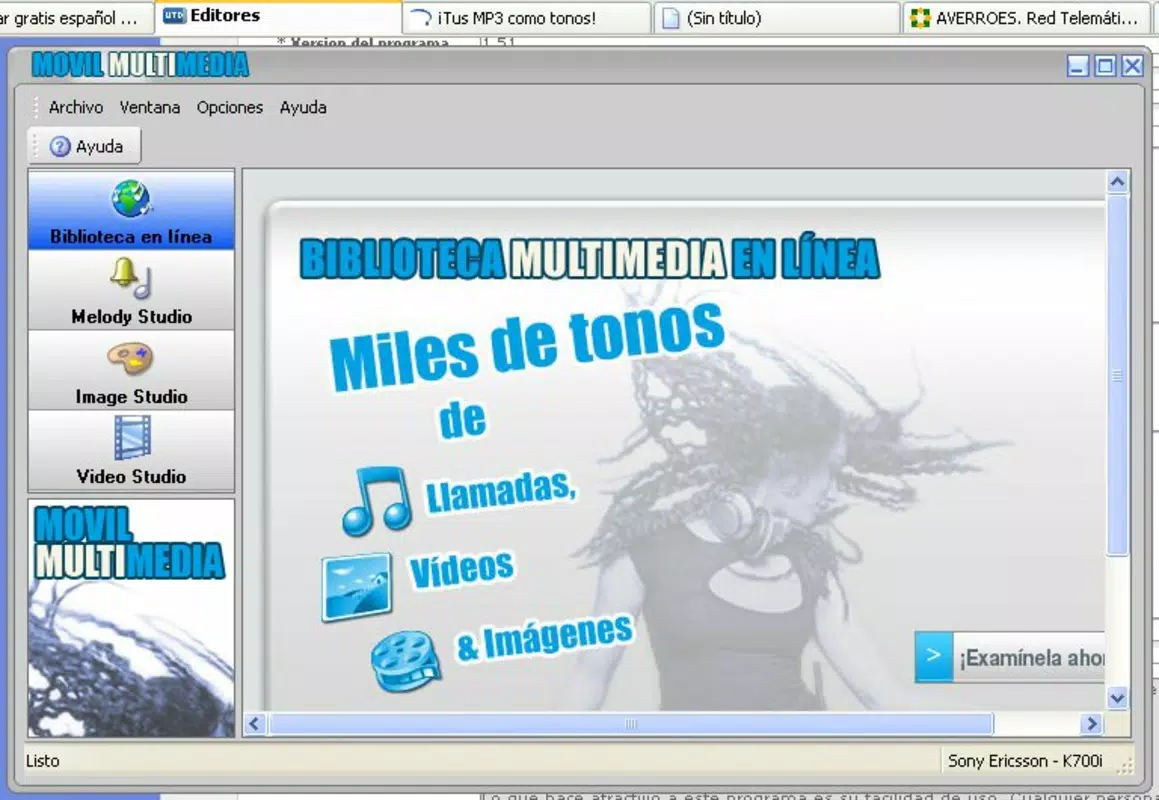
- Vast Media Library: The app includes a diverse collection of over 5,000 multimedia elements, such as 3,000 MP3 ringtones, 400 polyphonic tones, and 600 vivid backgrounds. This extensive library allows users to explore and select content that matches their style or mood, enhancing the overall device experience.
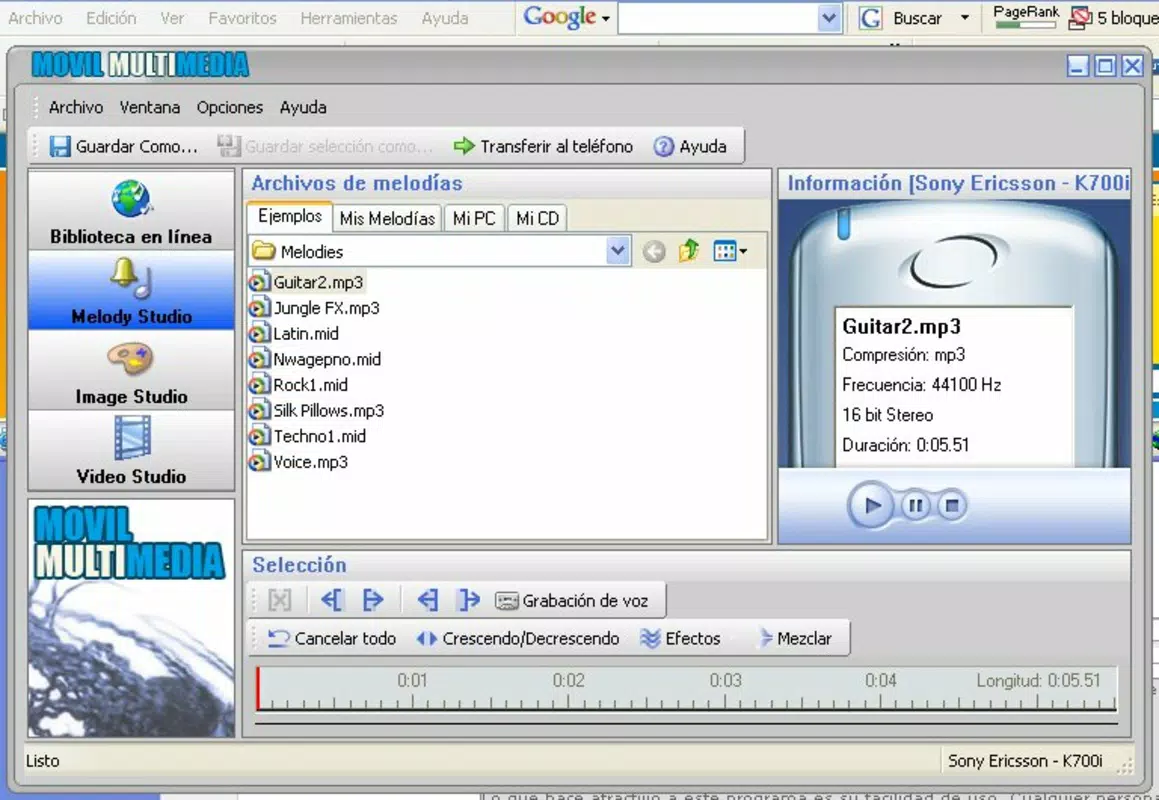
- Ringtone Creation Tools: Through the Melody Studio, users can create and edit custom ringtones. This feature supports the integration of sound effects, voice recordings, and other audio elements, enabling personalized call alerts tailored to individual preferences.
- Image Editing Studio: The Image Studio provides tools for adding visual effects, adjusting image dimensions, and drawing directly on photos. These capabilities empower users to modify and enhance visuals for use as wallpapers, profile pictures, or shared content.
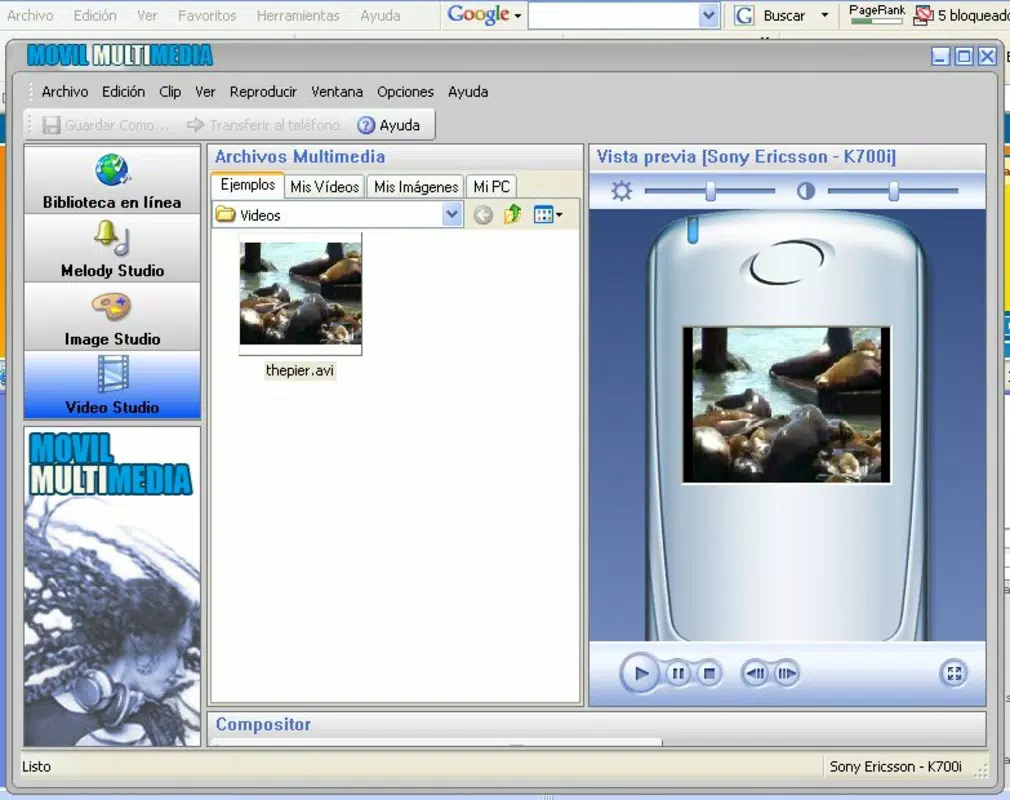
- Video Editing Features: The Video Studio allows users to manage video clips by adding, editing, or removing segments. It also supports transitions, helping users produce polished short videos directly from their mobile device.
- Bluetooth & Infrared Sharing: A distinctive feature of Movil Multimedia is the ability to transfer customized media files via Bluetooth or infrared. This functionality enables direct sharing between compatible devices, particularly useful in environments where cloud or internet-based transfers are limited.
Each feature is designed to serve practical purposes in everyday mobile use. For example, a user can record a voice message, edit it into a ringtone using the Melody Studio, and send it to a friend’s phone via infrared. Similarly, someone might edit a photo taken at an event, apply filters, and set it as their wallpaper—all within the app. These real-world applications demonstrate how Movil Multimedia streamlines the process of content creation and sharing on mobile devices.
Interface, UX & Performance
The user interface of Movil Multimedia appears structured around a central navigation hub, likely organizing access to its core modules: Media Library, Melody Studio, Image Studio, Video Studio, and Sharing Tools. While specific UI details such as color schemes, iconography, or layout structure were not disclosed, the app’s functionality suggests a menu-driven design optimized for ease of access. Navigation is expected to follow a logical flow, guiding users from browsing content to creating and sharing media.
The app’s performance is likely stable across a range of older and mid-tier mobile devices, given its release date and support for over 500 phone models. Although the developer did not list formal performance metrics, the app’s ability to handle audio, image, and video editing tasks implies efficient resource management. Responsiveness may vary depending on device hardware, particularly on devices with limited processing power or memory.
Stability is a critical factor for editing tools, and while no reports of crashes or bugs were provided, users should expect standard reliability for an app of this type. Overall, the UX is likely designed to minimize friction, allowing users to switch between tasks with minimal effort. For those unfamiliar with multimedia editing, the app may offer intuitive prompts or tooltips, though this was not specified.
Platform Compatibility & Technical Requirements
Movil Multimedia is available for mobile platforms, though the specific operating system was not disclosed. The app supports over 500 phone models, suggesting compatibility with a wide range of devices, particularly those from the early 2000s to mid-2010s. The file size was not provided, but given the app’s multimedia content and editing tools, it likely requires a moderate amount of storage space.
The software version and minimum OS requirements were not listed by the developer. The release date, April 18, 2007, indicates that the app was developed during the era of feature phones and early smartphones. As such, it may not be compatible with modern Android or iOS systems without emulation or adaptation.
Users should verify compatibility with their specific device before attempting installation. The developer did not specify whether the app requires internet access, permissions, or additional libraries. Compatibility information was not fully disclosed, so users are advised to exercise caution when installing on current devices.
Pros and Cons
Pros
- Extensive library of over 5,000 multimedia elements for customization
- Supports multiple editing functions: ringtones, images, and video clips
- Includes Bluetooth and infrared file sharing for direct device transfers
- Designed for over 500 phone models, indicating broad compatibility
- Offers a comprehensive suite of tools in a single application
Cons
- Release date of 2007 may limit compatibility with modern smartphones
- Specific technical requirements and OS version were not disclosed
- Performance on current devices may be inconsistent or unsupported
- Limited information on permissions, internet usage, or data collection
- May require older or legacy hardware to function properly
FAQ
Is Movil Multimedia available for Android and iOS?
The developer did not specify platform availability. Given its release date in 2007, it may not be compatible with current Android or iOS systems.
Can I download Movil Multimedia for free?
Price information was not provided. Users should check official sources for current pricing and availability.
Does Movil Multimedia require internet access?
Specific connectivity requirements were not disclosed. The app may function offline, especially for local media editing and file transfer.
How do I install Movil Multimedia on my phone?
Installation instructions were not provided. Users should refer to official documentation or trusted sources for guidance.
Is Movil Multimedia safe to use?
No information was provided about security practices, data handling, or potential risks. Users should exercise caution and ensure they download from verified sources.
Final Thoughts
Movil Multimedia stands out as a pioneering tool in the realm of mobile personalization, offering a rare blend of multimedia creation, editing, and sharing features within a single application. Its extensive media library and robust editing tools make it a valuable resource for users who want to customize their devices beyond standard options. While its age and limited compatibility with modern systems present challenges, the app remains relevant for those using older devices or seeking a lightweight, self-contained utility.
The inclusion of Bluetooth and infrared sharing adds a layer of practicality, especially in environments without reliable internet access. For users with compatible phones, Movil Multimedia delivers tangible value through creative freedom and functional versatility. Despite the lack of modern updates and technical transparency, its core features remain functional and purpose-driven.
Download Movil Multimedia now to explore a unique toolkit for mobile customization.


